Best video tools for Internal Comms: Vouch vs Spokn, Workvivo and Loom
The best video tool for internal comms depends on what you need to create. For leadership updates and CEO messages, look at a tool built to collect recordings from other people, such as Vouch or Spokn. For quick screen recordings, Loom is a common choice. And if you need one central place to publish everything, an intranet like Workvivo fits.
Why video at all? Emails and intranet posts often go unread. A short update from a leader employees recognize is harder to scroll past.
This comparison is published by Vouch. We've included our own product alongside Spokn, Workvivo and Loom and have tried to describe each tool's strengths fairly. We've compared four video tools for internal communications: Vouch, Spokn, Workvivo and Loom. There's no single winner for every situation.
Instead, we look at what each tool does well, where it's less suitable, and how it handles three practical criteria: how easy it is for leaders, where videos can be shared, and what you can measure.
Company updates worth watching
- Get busy leaders on camera
- Real faces behind big news
- Reach teams wherever they work
- Record, edit and share easily





Comparing the best video tools for internal communications
All four tools support video, but they approach it differently. Vouch and Spokn focus on collecting recordings from leaders and employees. Loom is built for quick screen recordings. Workvivo is an intranet and employee experience platform where finished videos can live. The right choice depends on whether you're mainly recording quick explanations, collecting contributions, preparing finished videos or looking for a central platform to share communications with employees.
Here's how they compare on ease for leaders, sharing channels and analytics.
1. Vouch: Best for leadership updates and CEO messages
Explore Vouch for internal comms
Vouch helps internal comms teams get leaders and employees on camera, then edit, organize and share what they say. It's built for the people who are hardest to film: busy executives, managers in other locations, and leaders who don't love being on camera.
Recording is a different skill from presenting. So instead of booking a filming session, you send a recording link with the questions you want answered. Leaders record from their phone or laptop, without a Vouch account.
Where Vouch works well
Leadership and CEO updates
The workflow is simple: ask, record, edit, share. Your team adds the prompts, such as this month's priorities or questions employees have submitted.
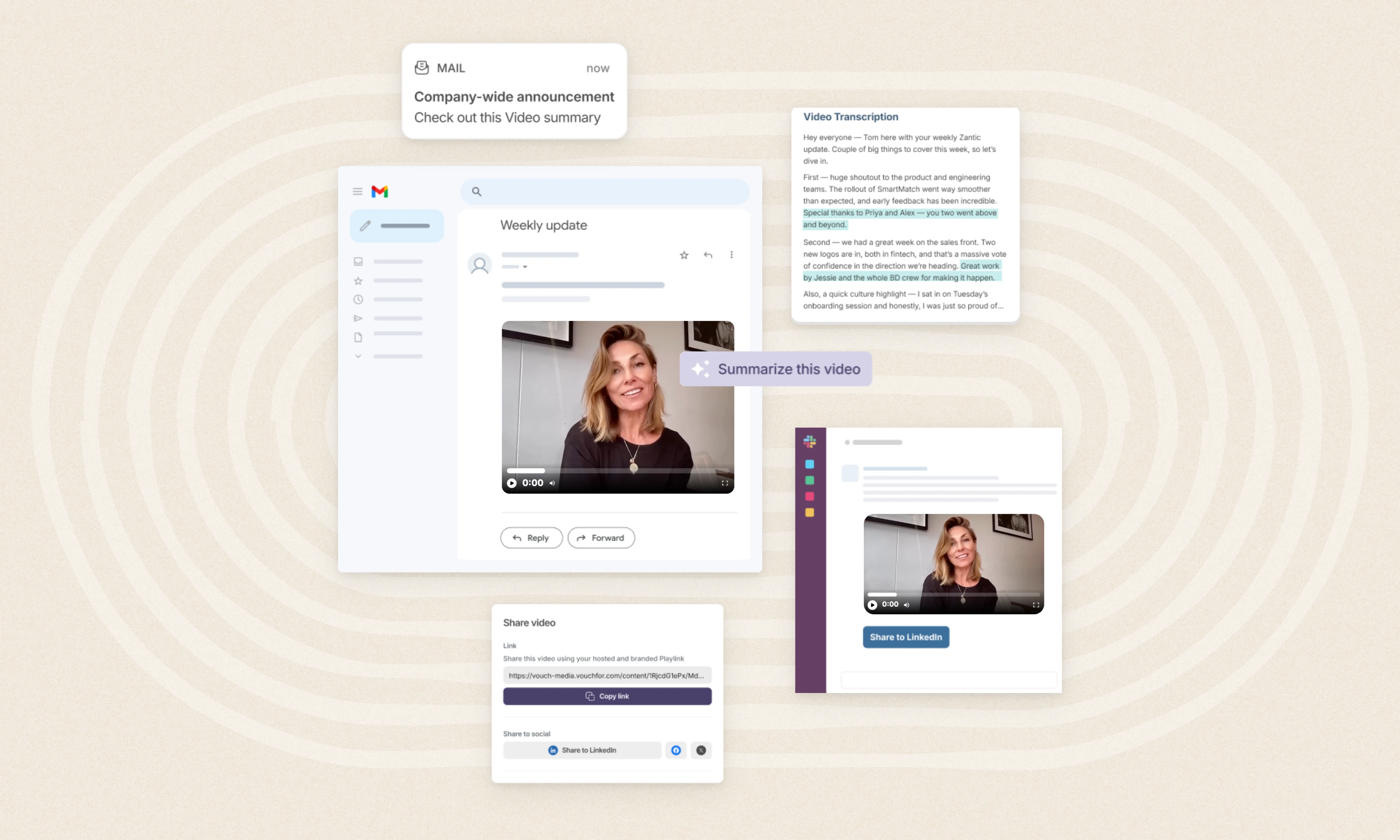
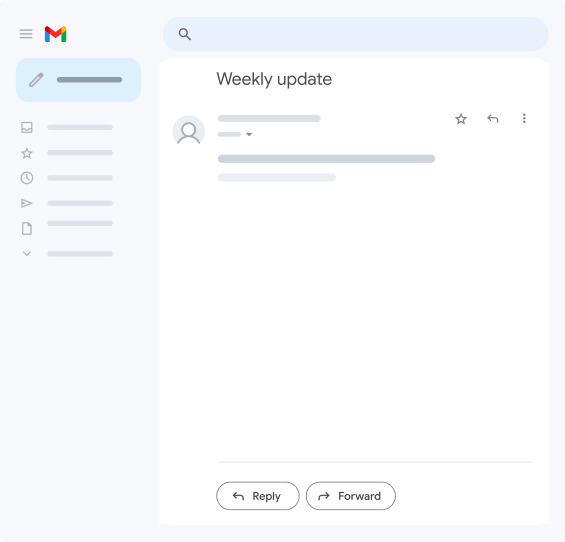
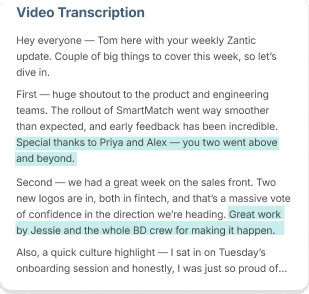
The leader records each answer separately, using notes or Vouch’s teleprompter, and can redo any answer they’re not happy with on the spot. The recordings come back to Vouch, where your team trims them, edits from the transcript, adds captions and combines the answers into one update. Then you share the finished video through email, Slack, Teams or your intranet.
Updates from leaders in different locations
Send the same request to managers across offices, stores or countries. Everyone records on their own schedule, and the responses land in one place. There's no filming day to coordinate across time zones.
Change communications and Q&As
For a change announcement, prepare the questions employees will ask: what's changing, why, when and what it means for them. The leader answers each one via video through Vouch, and you can cut shorter follow-up clips later.
Turning a town hall into short clips
Upload an existing town hall recording and use Ask Vouch to find the key moments, such as the section on a new policy. You can turn those moments into short clips for people who missed the live event.
What to consider
Vouch is most useful when collecting and preparing video is a recurring job. If you mainly need to record your screen to explain a process, a screen recorder such as Loom may be enough.
Vouch isn't an intranet. It's designed to work alongside the channels you already use, with finished videos shared through email, Teams, Slack or your intranet.
Vouch also supports enterprise security requirements, including single sign-on (SSO), SOC 2 Type II assurance and GDPR compliance.
Pricing: Modular, quote-based.
Examples from Vouch customers
Bupa Australia's Chief People Officer answered questions from the people team (around 1,000 people across APAC) via Vouch, with the video embedded in the weekly email.
Funlab's leaders span three countries and eight brands. Leaders record short updates in their own time, ready for that week's internal newsletter, with no calendars to align.
You can read more about Vouch customers and their experiences in our customer stories.
Best fit: internal comms teams running recurring leadership updates, CEO messages and communications that involve people in different locations.
2. Spokn: Best for short-form, branded employee story videos
Spokn is a video creation platform built for internal comms and HR teams. It focuses on short-form, social-style videos made from clips recorded by employees and leaders.
Like Vouch, it's built around collecting recordings from other people. Contributors can record on desktop or mobile without downloading an app, and your team can review and approve content before it's used.
Where Spokn works well
Employee stories and recognition
Spokn positions itself around culture-led content such as values champions, employee awards, milestones, new starter welcomes and event recaps. These formats suit its short, upbeat style.
Branded videos without an editor
Teams can add logos, brand colors, branded animations and transitions, and use the Magic Editor to remove mistakes or stumbles.
Spokn's AI features include automatic captions, caption translation into 15 languages, and video and audio enhancers that improve lighting and reduce background noise.
Sharing across channels
Finished videos can be exported as video files for Slack, Teams or social media, shared through private or public links, or embedded on an intranet, website or LMS.
What to consider
Spokn and Vouch overlap more than any other tools in this comparison. Choose Spokn when the output is short, branded culture and recognition clips. Choose Vouch when the job is recurring leadership updates, collecting from several leaders or locations, or searching and reusing a library of recordings.
Spokn supports SSO and states that it holds SOC 2 Type II certification and is GDPR compliant.
Pricing not published; contact for a quote.
Best fit: internal comms and HR teams producing short, branded employee story, recognition and culture videos.
3. Workvivo by Zoom: Best for a central intranet and employee experience platform
Workvivo, part of Zoom, is an employee experience platform and intranet. It isn't a dedicated video creation tool.
Instead, it brings communications, company knowledge, recognition and employee feedback into one place that employees can reach on desktop or mobile.
Video is one of several formats it supports. Communicators can share video in posts and host livestreams, alongside news articles, podcasts and newsletters for targeted audiences.
Where Workvivo works well
A central destination for company news
Workvivo combines an activity feed, news articles, spaces for teams or locations, push notifications and a content calendar. Workflows cover drafting, approving, scheduling and publishing, which can help bring company news from several channels into one place.
Livestreams and town halls
Teams can broadcast company events through native or Zoom-powered livestreams with live chat and reactions. Recordings can be posted back to the activity feed, and AI-generated summaries and smart chapters help employees catch up on what they missed.
Reaching frontline and global employees
With a mobile app, audience targeting, auto-translation, and sign-in options for employees without a company email address, Workvivo is designed to reach both desk-based and frontline staff. Uploaded videos receive automatic subtitles, which can be edited and translated.
Measuring engagement
Workvivo offers analytics on engagement, content performance and campaigns, so you can see reach, views, reactions and participation. Deeper analytics are available as add-ons.
What to consider
Workvivo is a place to distribute and engage with communications, not a tool for gathering and editing video from leaders and employees.
Its help documentation describes uploading finished video files or embedding them from YouTube or Vimeo. You'll still need a way to capture and prepare video before it's posted.
So it's worth thinking of Workvivo as a destination for video rather than an alternative to a video creation tool. You could collect and edit leadership updates in Vouch, then publish the finished videos in Workvivo.
Pricing: Custom quote.
Best fit: Organizations looking for an intranet and employee experience platform that brings news, livestreams, recognition and feedback into one place.
4. Loom: Best for quick screen recordings and recorded team updates
Loom, now part of Atlassian, is one of the best-known tools for recorded video messages. Employees record their screen, camera or both, then share a link that colleagues can watch, comment on and react to in their own time.
For internal communication, that makes it a practical replacement for many short meetings and lengthy written explanations.
Where Loom works well
Process walkthroughs and how-to videos
Screen recording with a camera bubble, drawing tools and mouse emphasis make Loom well suited to showing employees how to use a system, complete a task or follow a process.
Team and project updates
Managers and team members can record quick updates and share them in Slack, Jira, Confluence, Notion and other tools. Viewers can respond with comments and emoji reactions.
Viewer insights show who has watched, with more detailed engagement insights on paid plans.
AI-assisted cleanup
On Loom's Business + AI plan, features include summaries and chapters, filler word and silence removal, editing by transcript, and automatic meeting notes.
What to consider
Loom is built for individuals recording their own messages. It's less focused on sending prompts to a group of leaders or employees, collecting their responses and combining them into a finished, branded update.
Editing is relatively light compared with dedicated content tools, and features such as trimming, stitching and custom branding depend on your plan.
Pricing: Free plan plus paid per-user plans.
Best fit: Teams sharing quick screen recordings, process walkthroughs and team updates colleagues can watch in their own time.
Which video tool is right for your Internal Comms team?
The most useful comparison isn't simply which platform has the longest feature list.
It's which one supports the work your team needs to do regularly.
These are starting points, not exclusive capabilities. Several tools support overlapping features, and individual plan limits may affect what's available. The deciding factor should be how well the tool fits your team, contributors, and existing communication processes.
What to look for when choosing an Internal Comms video tool
Before committing to a platform, consider the whole process of creating and sharing your content.
How easy is it for leaders and contributors to record?
Think about who needs to appear in your videos.
A tool that works well for employees who record their screen every day may not suit a CEO who records a monthly update.
Check whether contributors need accounts, software installs, training or particular devices. For frontline employees or people across multiple locations, mobile recording and simple instructions matter most.
For lean comms teams, much of the effort isn't the video itself. It's chasing calendars, sending reminders and getting approvals. Look for a tool that cuts that coordination down.
Does it support your editing and approval requirements?
Recording content is only the beginning. Internal comms teams often need to review answers, remove unnecessary sections, add captions, and prepare content before publication. Check whether the platform supports the editing tasks your team regularly performs.
You should also assess how content is reviewed and approved, including whether additional tools or manual handoffs will be required.
Can you reuse existing recordings?
Your organization may already have a substantial collection of town halls, training sessions, employee interviews, and leadership videos. Consider whether a platform allows you to upload recordings and locate useful information without manually reviewing every minute.
For teams regularly turning longer recordings into shorter updates, searchable transcripts and AI-assisted content discovery may be particularly valuable.
How will employees receive the final content?
Check how videos can be shared through the channels employees already use.
These might include:
- Slack or Microsoft Teams
- Internal email newsletters
- Company intranets
- Employee portals
- Existing learning or communication platforms
Also consider accessibility requirements, including captions and transcripts.
The best approach is usually one that works with your existing communication channels rather than requiring employees to adopt another destination.
How will you measure engagement?
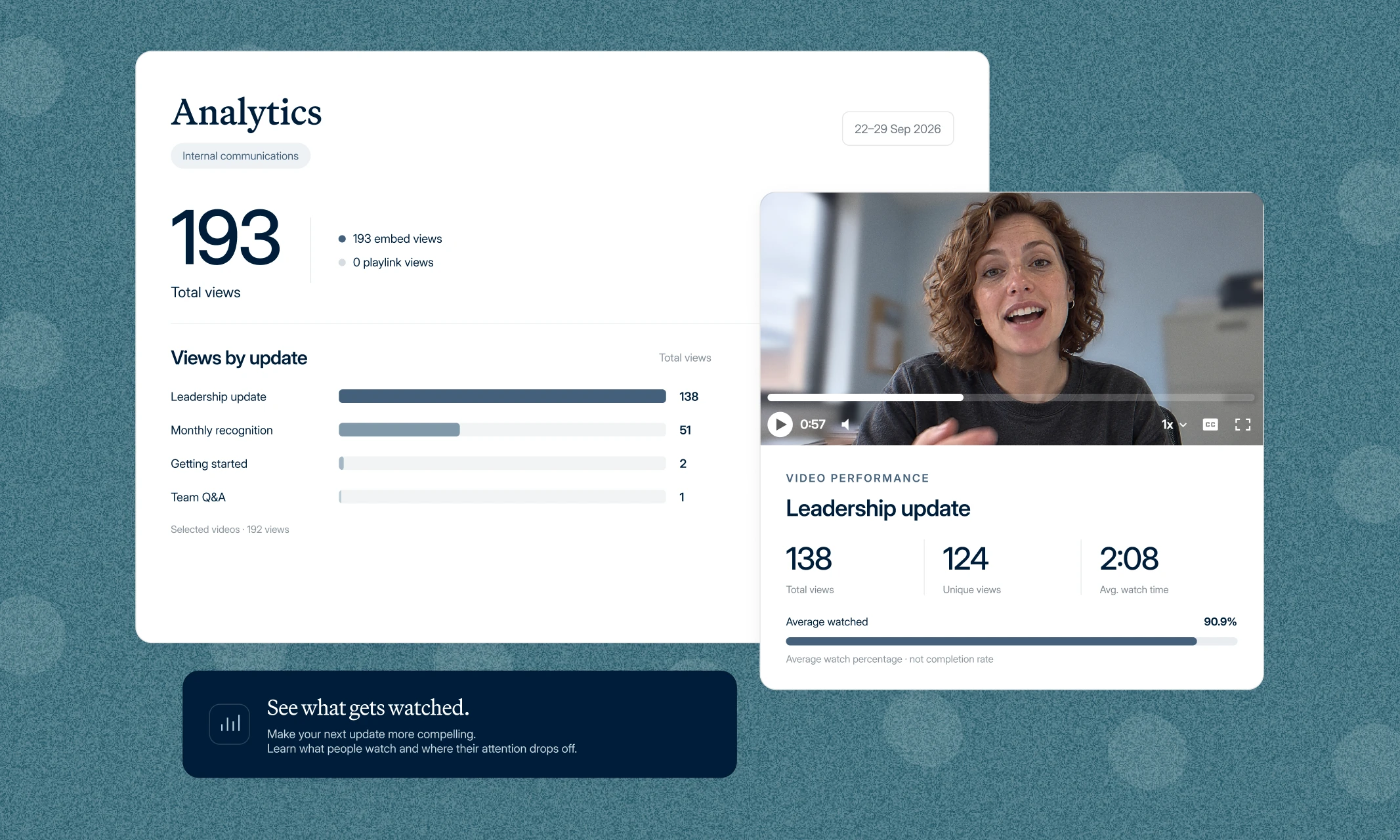
Intranet page views rarely tell you whether people took in a message. Check what each tool reports, such as views and reactions, and whether you can export the data.
Loom and Workvivo both include engagement reporting. Vouch provides reporting on request opens, video views and watch analytics.
For more on what to track, see our guide to internal communications KPIs.
What security, access, and pricing requirements matter?
Internal video content can include confidential business information, employee contributions, or sensitive company announcements.
Before choosing a tool, review:
- Recording permissions and access controls
- Data storage and security requirements
- Contributor and viewer access
- Administrative controls
- Pricing and plan limitations
- Available support and integrations
For larger organizations, these considerations can be just as important as recording and editing features.
How this comparison fits into your Internal Comms strategy
Choosing software is one part of using video well. You also need to decide which messages warrant video, who should contribute, and how employees will find the finished content.
For guidance beyond choosing a tool, read our complete guide to internal communications videos. It covers leadership updates, frontline communication, town halls, change communications and measuring effectiveness.
For inspiration, browse our internal communications video ideas.
Frequently asked questions about Internal Comms video tools
Does Vouch support SSO and enterprise security requirements?
Yes. Vouch supports SAML single sign-on. It holds a SOC 2 Type II report, encrypts data in transit and at rest, and adheres to GDPR requirements.
What features should an Internal Comms video platform have?
Useful features include simple recording for leaders, editing, captions, content organization, access controls, sharing options and engagement analytics.
If you need contributions from leaders or employees in different locations, the recording request process is also worth evaluating. Your organization's security and accessibility requirements should guide the final decision.
Can AI help edit Internal Comms videos?
Yes. AI features vary between platforms and may include transcription, summaries, searchable content or editing support.
Vouch's Ask Vouch can help teams find relevant moments in existing recordings and prepare shorter content.
Other tools also include AI features. Spokn offers AI captions, translations and video enhancement, Workvivo generates summaries and chapters for livestreams, and Loom's AI plan adds auto summaries, chapters and filler word removal.
Can Vouch be used with Workvivo or Loom?
Yes. These tools aren't mutually exclusive. Vouch can be used to collect and edit leadership and employee videos, and finished videos can be downloaded and posted to an intranet such as Workvivo, or shared through email, Slack and Teams.
Some teams also use a screen recorder like Loom for quick walkthroughs alongside a dedicated content platform.
Choose the tool that fits the work
Internal comms teams don't all need the same video setup. If your work is mainly quick screen recordings and project updates, a tool like Loom may meet your needs.
If you want one central destination for news, livestreams and employee engagement, an employee experience platform such as Workvivo is worth exploring. If short, branded culture videos are the priority, Spokn is a strong contender.
If your priority is getting leaders on camera for regular updates, without chasing calendars or booking filming days, Vouch is built for that workflow.
The quickest way to see if it fits is to record something yourself. Try it yourself: answer two quick questions and see how easy it is for leaders to record.
You can also learn more about Vouch for internal comms. If you'd like to see how it would work for your organization, book a Vouch demo.

You might also like


Elevate Your Brand Today With Vouch
Discover how Vouch can accelerate talent acquisition while helping you stay on-brand.