Finished video, without waiting on an editor.
Edit it yourself in a simple timeline, or just tell Ask Vouch what you want. Either way, you get finished, on-brand video from your own library.
Trusted by 1,000+ people teams globally


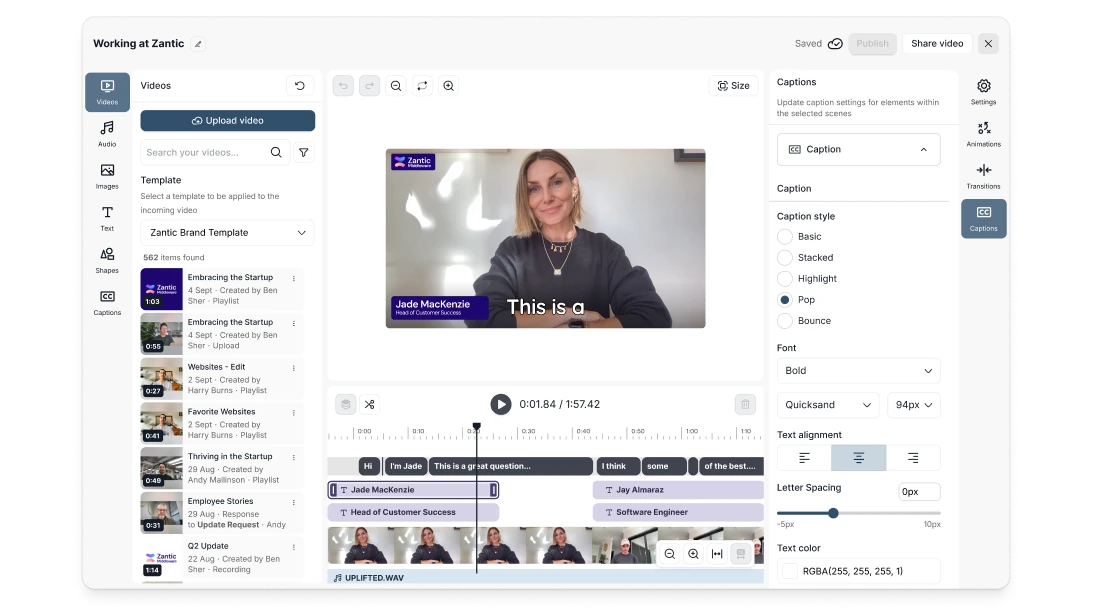
Get every detail right, without pro software
A timeline editor that works like the tools you already know. Layer video, audio, images and text, add b-roll and overlays, animate elements and add transitions. Your brand templates keep every video on brand.
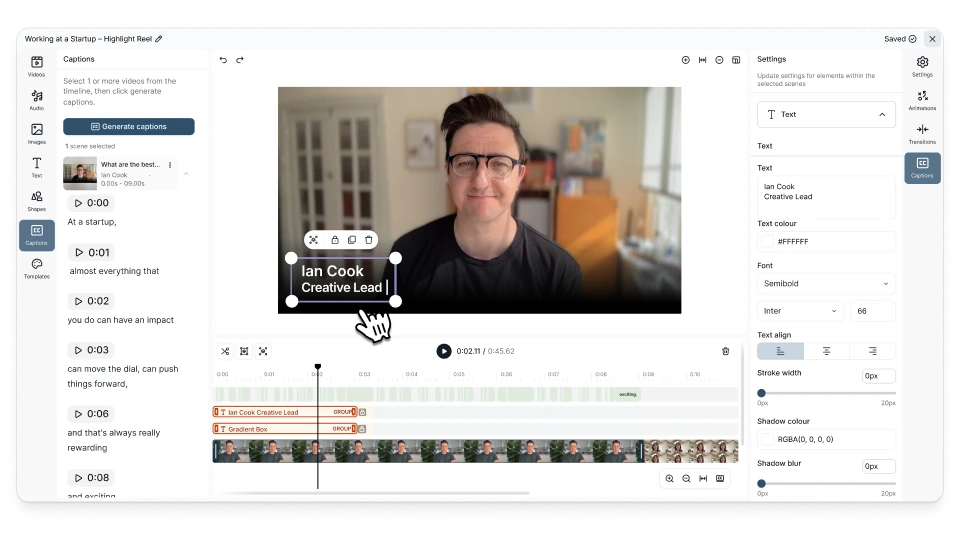
Make it look produced, without the production
Compositions are for your polished, branded pieces. Templates add your intros, outros, question cards and name cards and place each one on the timeline for you. Add music and sound effects, set the volume for each scene, and choose landscape, portrait or square for each channel.
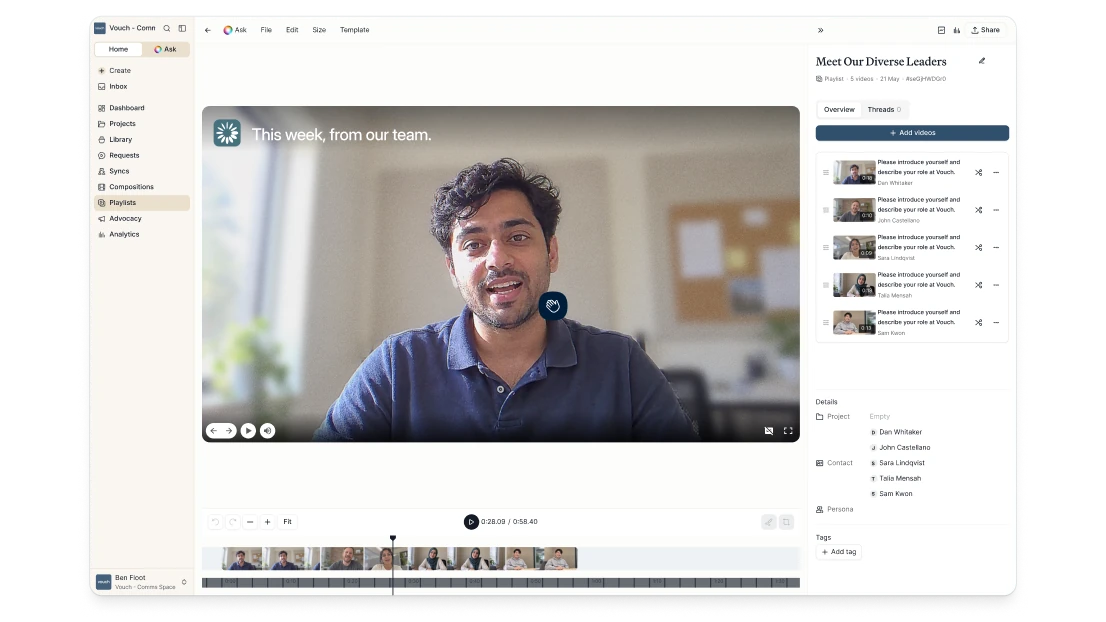
Quick cuts or polished pieces, your choice
Playlists are the quick way to string clips together for testimonials, team updates and highlight reels. Compositions are for the stylized, branded pieces. Both live in your library, and you can download a Composition’s video, audio or transcript.
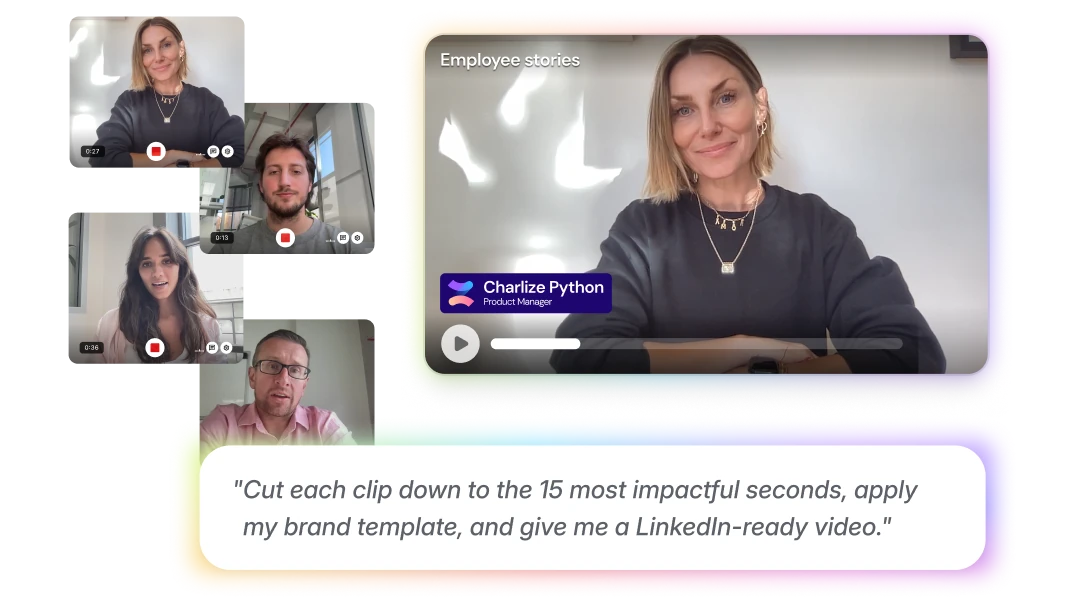
Or skip the timeline and just ask
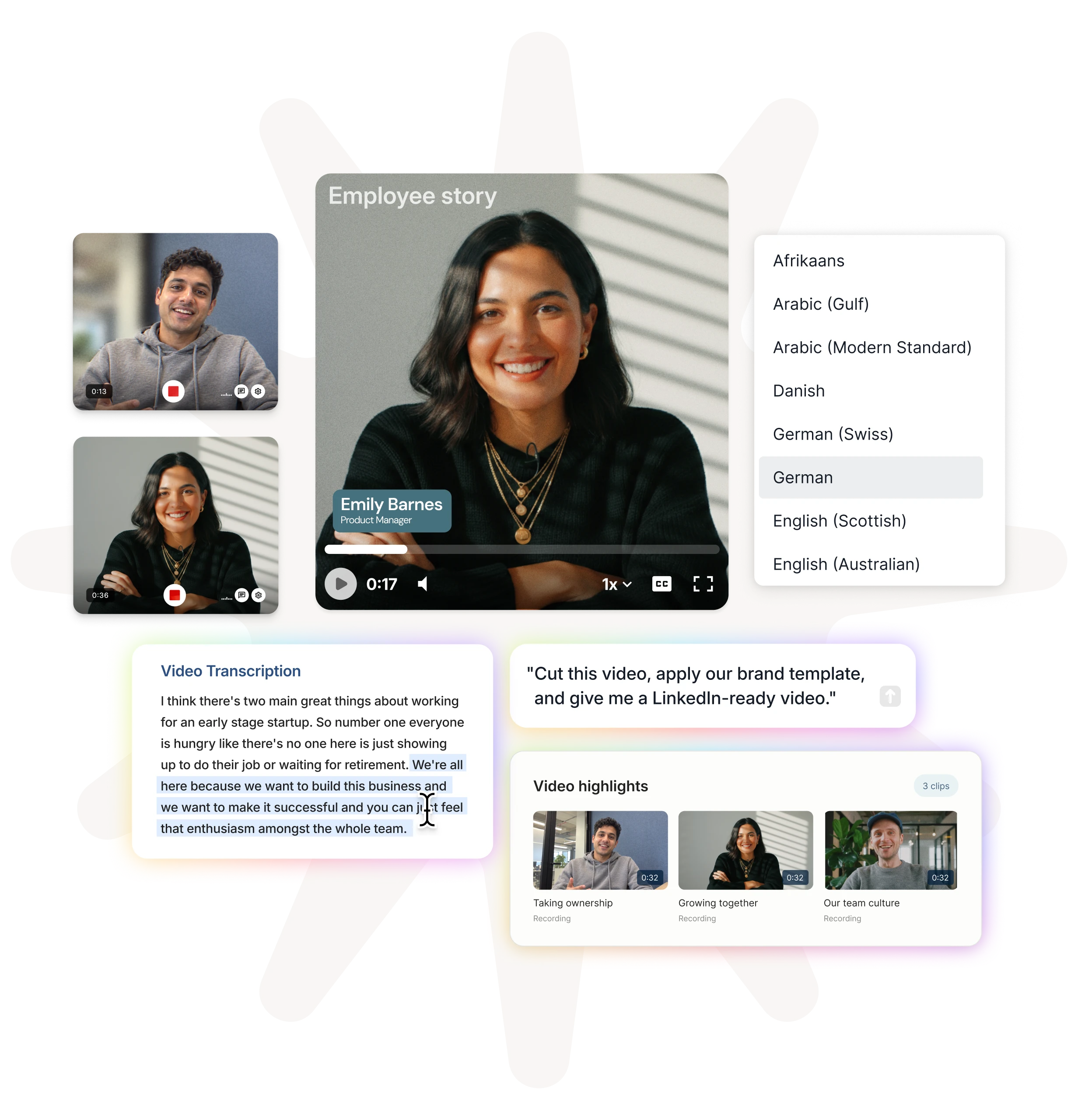
Tell Ask Vouch what you need: “Cut each clip down to the 15 most impactful seconds, apply my brand template and give me a LinkedIn-ready video.” It finds the clips, makes the cuts and hands you a finished video you can fine-tune in the editor. It can even start a Composition from your brand template for you.
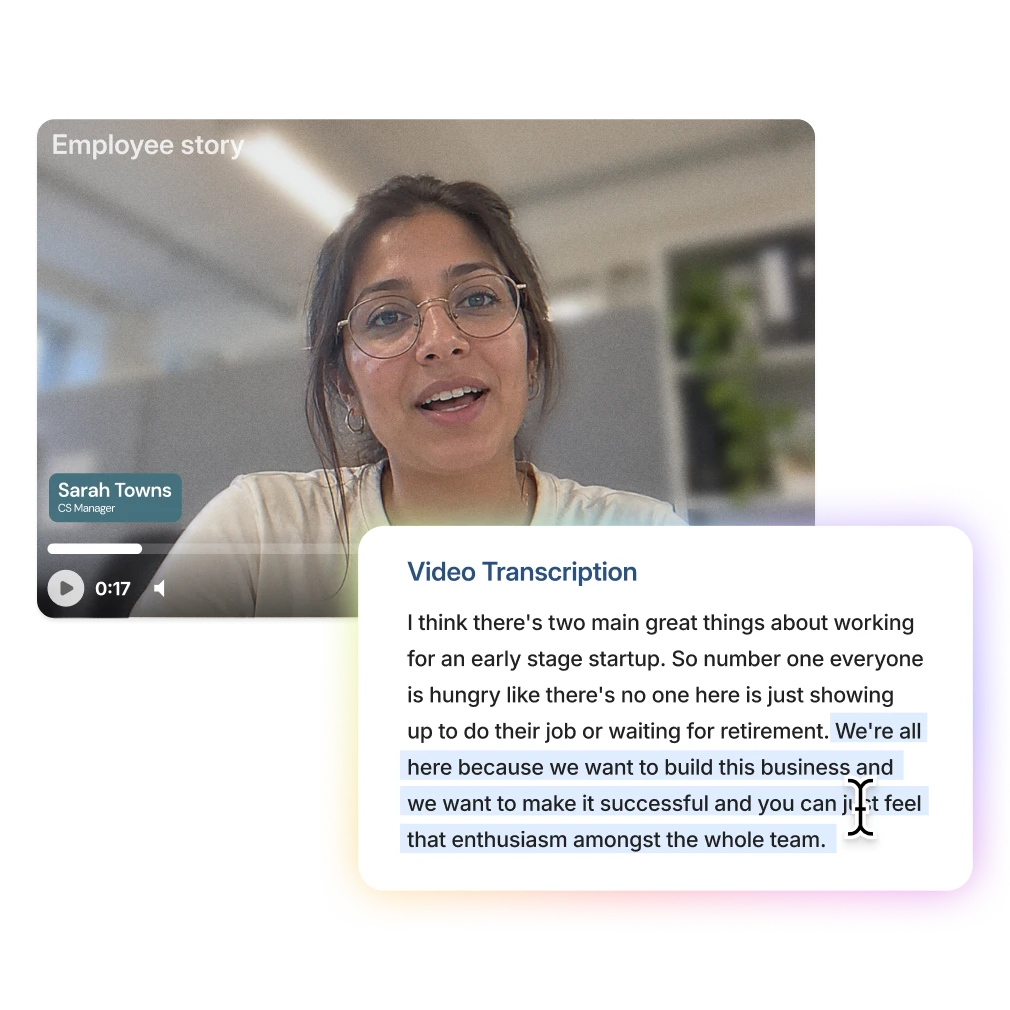
Edit the words, not the waveform
Highlight the parts of the transcript you want to keep, and Vouch makes the cut. It removes the ums and ahs without clipping a word.

Speak to every office in its own language
Generate captions automatically, translate them into 38 languages, including right-to-left languages, and adjust the wording and timing before you publish. Style and position them to match your brand.
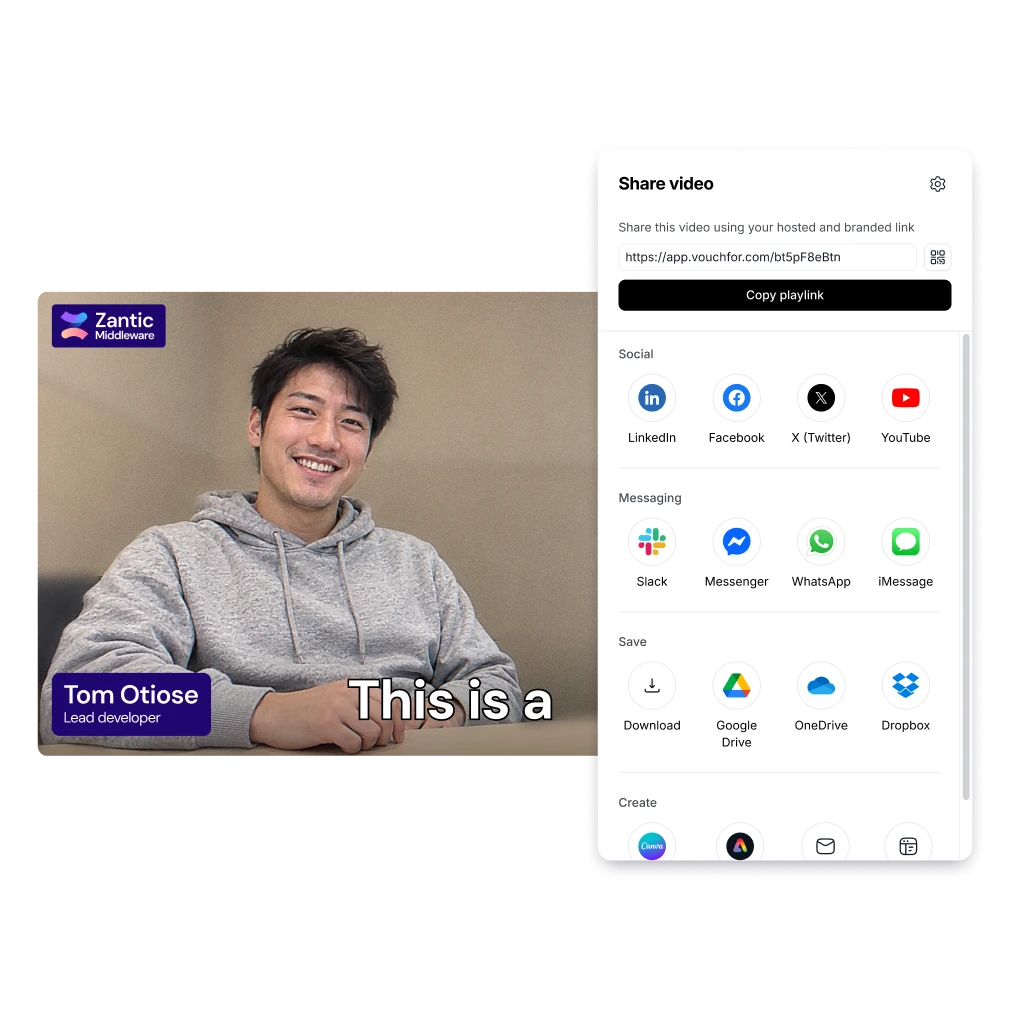
Ready for wherever it goes next
Share a link, embed it or download it. You can also download the audio and transcript, or send it to Canva or Adobe Express to keep editing there.

See editing in Vouch
See how teams turn raw employee recordings into finished, on-brand video, whether they edit by hand or just ask.