What it is
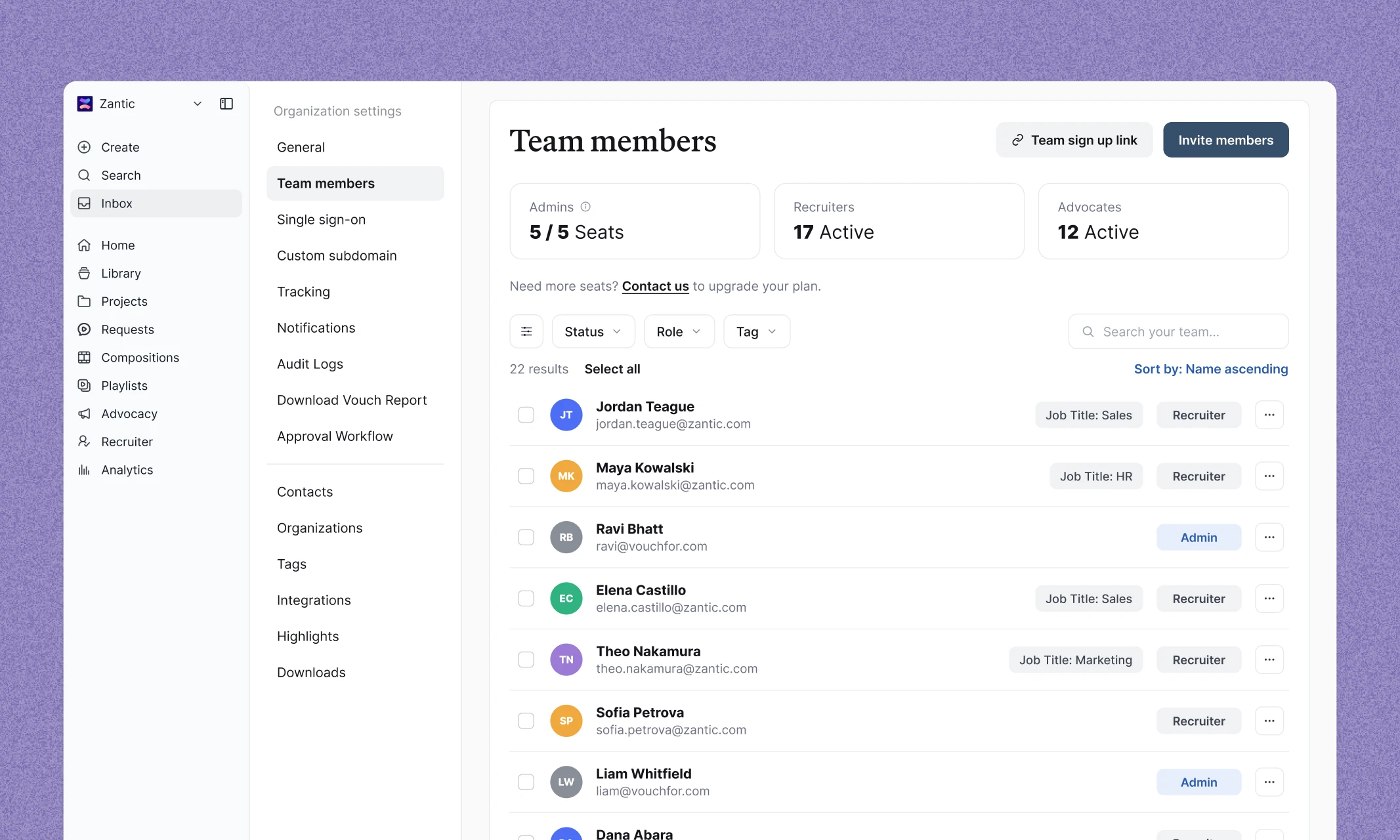
We've redesigned the Team Members page to make managing users faster and easier. A new list view, improved filtering, and bulk actions help admins quickly find, update, and manage users across their workspace.
Why we built it
As teams grow, managing user access, roles, and content subscriptions becomes more complex. We updated the Team Members experience to give admins a clearer view of their workspace and make common management tasks much faster.
Key Features
- Ability to find deactivated users and reactivate them in just a couple of clicks.
- Auto-subscribe Recruiter and Advocate users to specific content tags at sign up.
- View all team members in a new list layout for easier navigation.
- See which Recruiter and Advocate users are subscribed to content tags at a glance.
- Filter users by status, role, or content tag to quickly find the right people.
- Update roles, manage tags, or deactivate multiple users with bulk actions.
- Keep user management organized as your Vouch workspace grows.
Learn More
Visit the Vouch Help Desk to learn more about Team member settings.

Elevate Your Brand Today With Vouch
Discover how Vouch can accelerate talent acquisition while helping you stay on-brand.