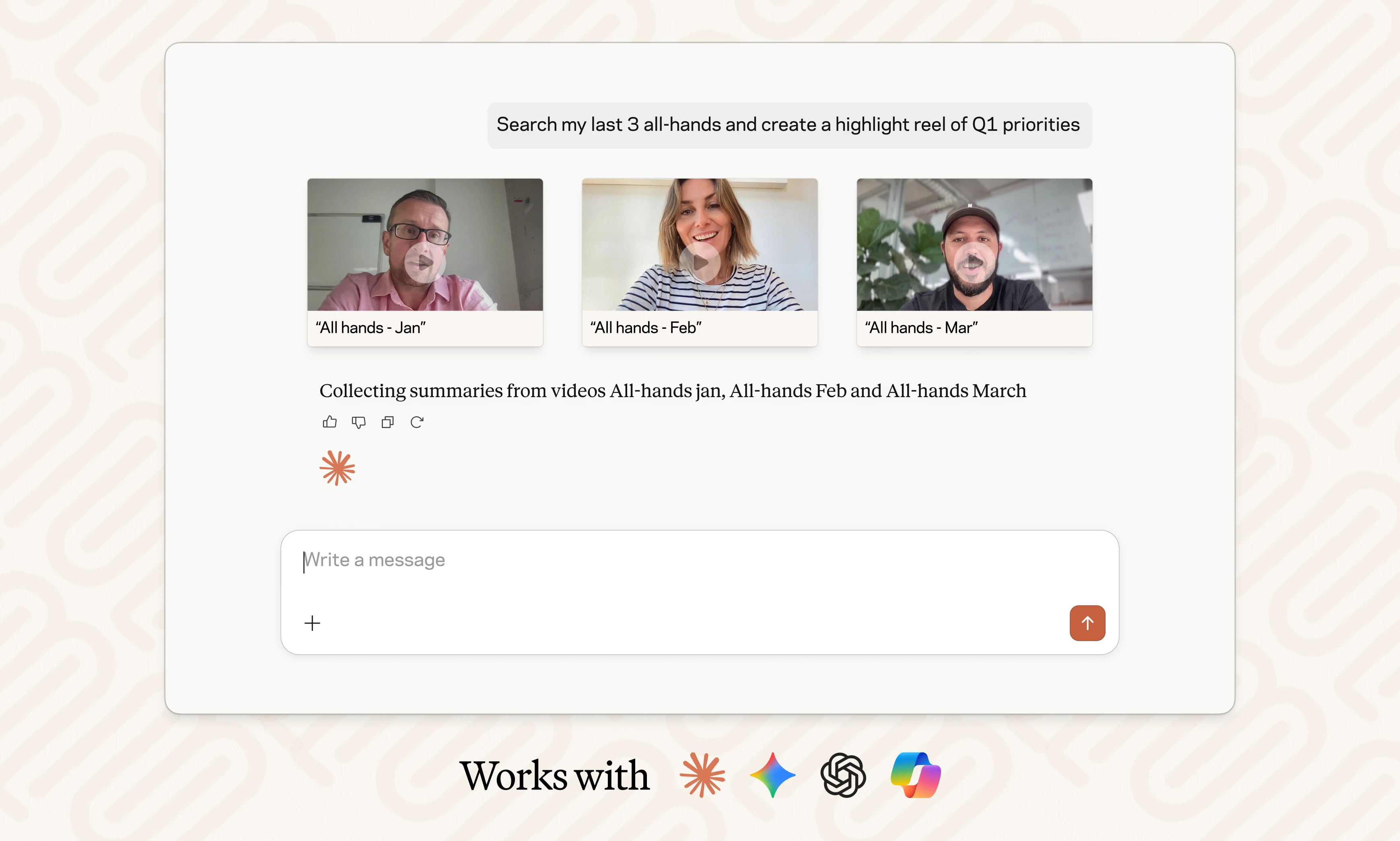
If you haven’t used Ask Vouch in a while, there’s a lot you can ask it to do.
Ask Vouch is your AI assistant inside Vouch. It can search across your content, uncover themes in what employees are saying, find specific clips and help you organize and create content.
For Employer Branding and Internal Comms teams, that means less time searching through folders, rewatching long recordings or trying to remember who said what.
Here are 10 ways to put Vouch AI to work.
1. Find out how employees really talk about your culture
Your employee videos already contain a lot of insight about your culture, EVP and employee experience. Ask Vouch can help you find the patterns.
Try asking:
“What are the top 5 words employees use to describe our culture?
Ask Vouch can search across your employee content and identify recurring themes in what people are actually saying.
Then take it one step further:
“Show me the best employee clips for each theme.”
Now you have the employee stories behind those insights, ready to use in employer brand campaigns, presentations or your next EVP conversation.
2. Find employee stories about a specific EVP theme
Looking for employees talking about career growth, flexibility, belonging or leadership?
Instead of rewatching videos or searching through folders, ask for exactly what you need.
Try asking:
“Find the best clips of employees talking about career development.”
Ask Vouch can search across your content Library and surface relevant moments, making it easier to turn the employee stories you already have into new employer brand content.
3. Check what content you already have before creating more
Before sending another content Request, find out whether the story you need is already sitting in your Library.
“Find videos of employees in our Sales team talking about why they joined.”
You might already have the right employee story for your careers site, social campaign or recruitment content.
Less chasing. More reuse.
4. Turn the right clips into a Playlist
Finding the content is one job. Organizing it into something useful is another.
Once Ask Vouch has surfaced the right clips, keep going.
Try asking:
“Add these clips to a Playlist.”
You can quickly bring relevant employee stories together around a campaign, theme, audience or project without manually organizing every asset.
5. Organize your employee content with tags
The more employee content you collect, the more important it becomes to keep it organized.
Ask Vouch can help you manage your content as you work.
Try asking:
“Add the ‘Leadership’ tag to these videos.”
Whether you organize content by location, department, EVP pillar or another topic, tags make it easier for your team to find and reuse the right content later.
6. Find the important moments in a long all-hands recording
A 60-minute all-hands might contain five minutes that a particular team really needs to see.
Instead of manually scrubbing through the whole recording, upload it to Vouch and ask for the important parts.
Try asking:
“Find the key updates from this all-hands and show me the relevant sections.”
You can quickly find the moments worth sharing and turn a long internal recording into shorter, more focused employee communications.
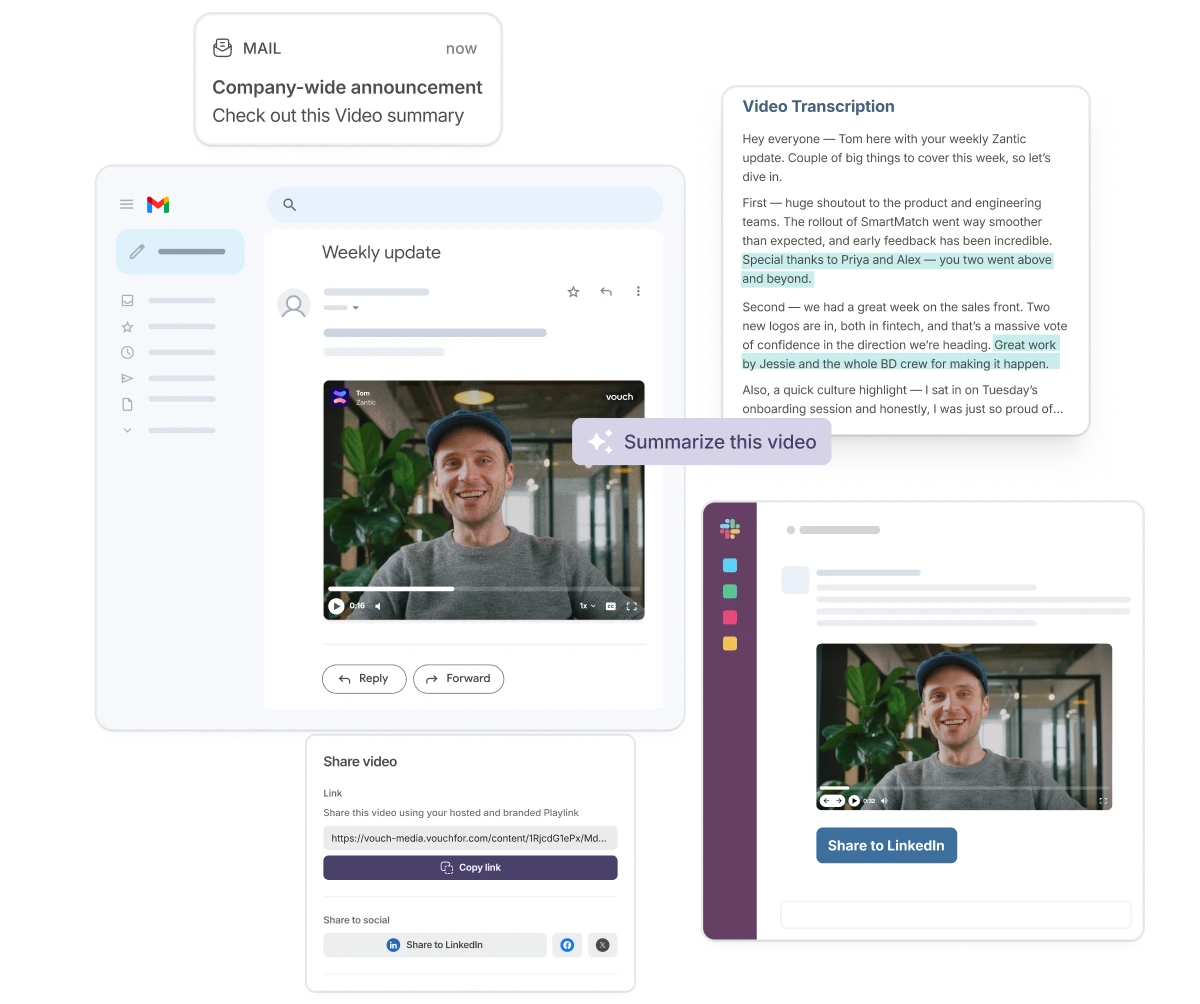
Company updates worth watching
- Get busy leaders on camera, without the chasing
- Put real faces and voices behind important news
- Reach teams wherever they're working
- Record, edit and share without the extra workload
7. Find past leadership messages when you need them
Need to find what your CEO said about a particular initiative three months ago? Or pull together leadership messages around a recurring topic?
Ask Vouch can search your existing video content for you.
Try asking:
“Find videos where our leadership team talks about our company strategy.”
That makes your existing leadership content easier to find, reference and reuse without relying on someone remembering where the original recording lives.
8. Turn long videos into shorter content
Your leadership update, employee interview or all-hands doesn’t need to stay as one long video.
Ask Vouch can help you find the strongest moments and start turning them into content people are more likely to watch.
Try asking:
“Find the best clips from this video about our new strategy.”
Use those moments for shorter internal updates, employer brand content or social posts instead of starting from scratch.
9. Create a new content Request
Sometimes the content you’re looking for doesn’t exist yet.
When that happens, Ask Vouch can help you start collecting it.
Try asking:
“Create a Request asking employees what surprised them most about working here.”
You can move from identifying a content gap to collecting new employee stories without breaking your workflow.
10. Start with a question, then keep going
You don’t need to know exactly which Vouch feature you need before you start.
Ask a question about your content.
Try asking:
“What are employees saying about our onboarding experience?”
Then keep going.
Ask for the strongest examples. Find the clips behind those themes. Add them to a Playlist. Organize them with tags. Use what you find to create something new.
That’s where Vouch AI becomes particularly useful: you can move from understanding your content to finding it, organizing it and using it in the same conversation.
Your content already has answers. Ask Vouch.
Employer Branding and Internal Comms teams are sitting on a growing library of employee stories, leadership updates, interviews and internal videos.
The challenge isn’t always creating more. It’s finding the right content when you need it, and getting more value from what you’ve already captured. Ask Vouch gives you a faster way to do both.
Lean more about Ask Vouch →

You might also like
.webp)
.webp)


Elevate Your Brand Today With Vouch
Discover how Vouch can accelerate talent acquisition while helping you stay on-brand.