What Is Vouch MCP? Connecting Your Content Library to ChatGPT, Claude and Gemini
Most talent teams now use an AI tool every day. Drafting a job ad, summarizing feedback, writing a LinkedIn caption. The problem is that the AI tool and the content library live in two different places. You know the clip you need is sitting in Vouch somewhere, but getting to it means leaving the chat, logging in, searching, downloading and copying the result back to where you were working.
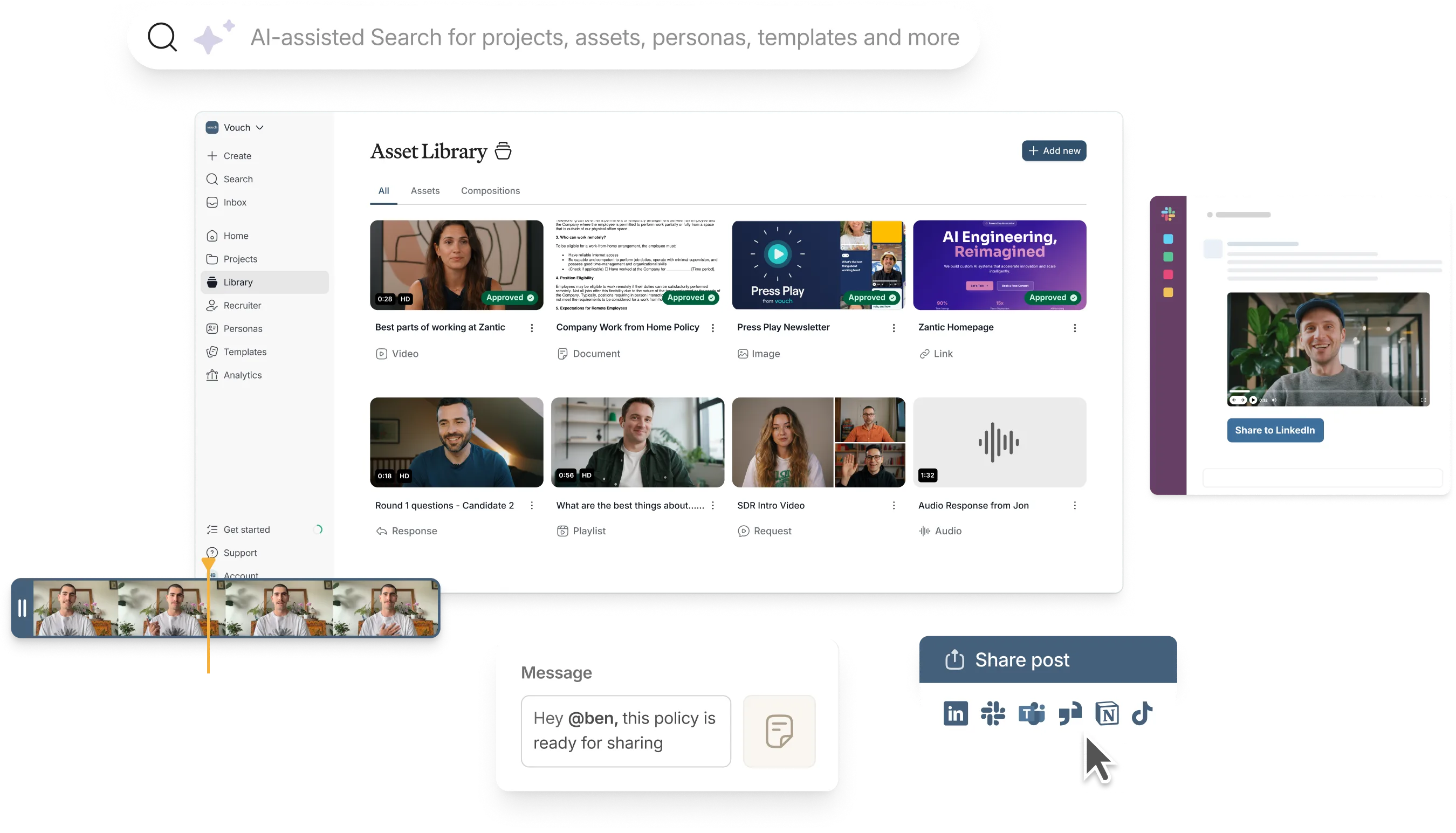
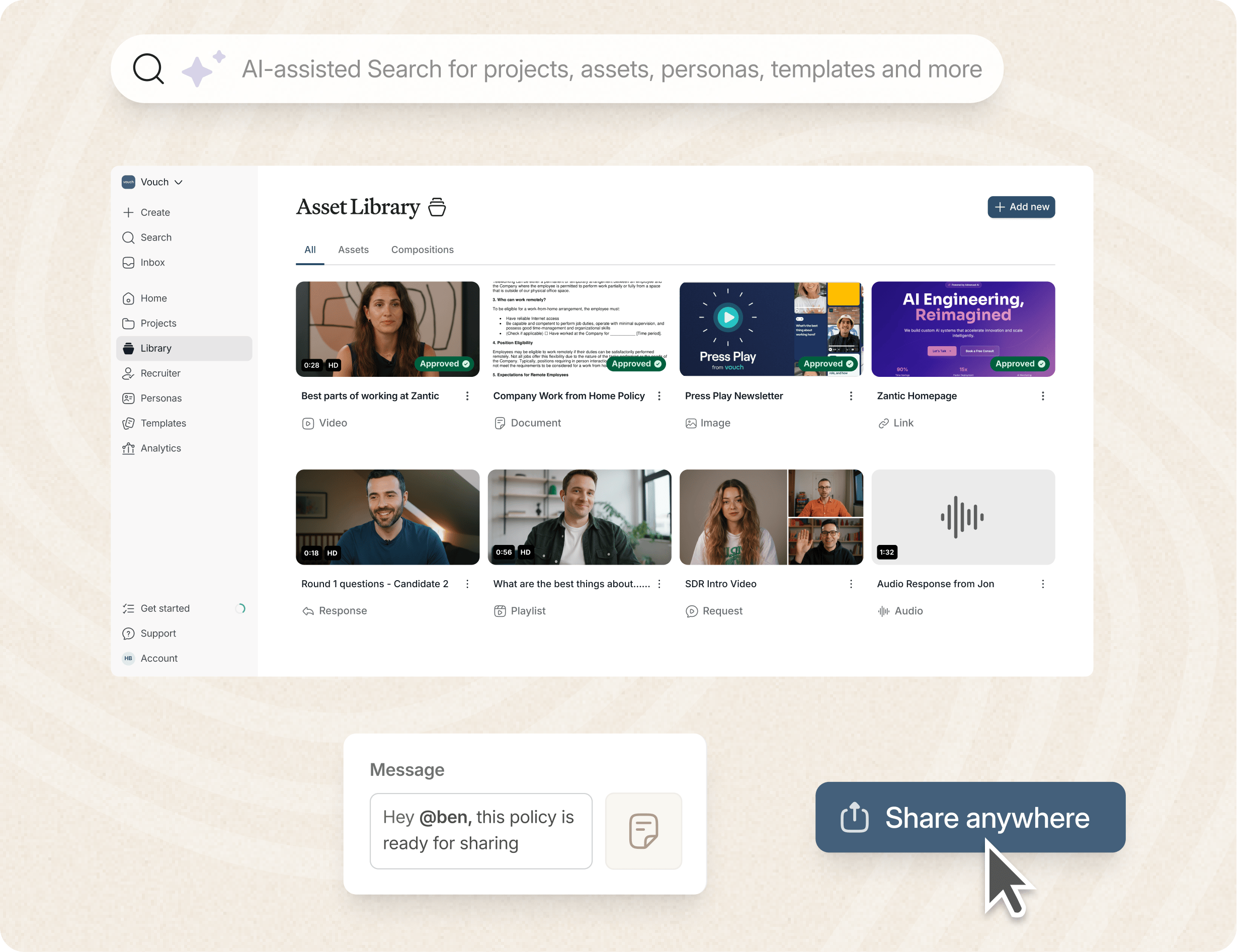
Vouch MCP removes that gap. It connects your Vouch account directly to the AI tool you already use, so you can search your library, edit clips or draft content from your Vouch Library without switching tabs.
This guide explains what MCP actually is, why Vouch built it, what it does in practice, how it compares to a traditional integration, and how talent, recruiter enablement and employer brand teams are using it day to day.
The AI-enabled workspace for talent teams.
- Unified workspace for talent teams
- Accelerate hiring with AI tools
- Auto-generate polished hiring and employer brand content
- Easily repurpose assets across all channel
What Does MCP Stand For?
MCP stands for Model Context Protocol. It is an open standard that lets an AI assistant connect to an external application and work with real data inside it, rather than relying only on what the user types into the chat window.
Before MCP, connecting an AI tool to a piece of software meant custom integration work for every pairing: one build for Slack, another for a CRM, another for a content platform. Each of those integrations had to be built, maintained and updated independently, and the AI tool on the other end had no consistent way of knowing what any of them could do.
MCP standardizes that connection. Any AI tool that supports MCP, and any application that has built an MCP server, can talk to each other using the same protocol. That is why Vouch MCP works across ChatGPT, Claude, Gemini, Perplexity and most other AI tools. Vouch only has to maintain one server. Every AI tool that speaks MCP can use it.
For a talent or employer brand team, the practical effect is simple: the AI tool you are already using can now see and act on your Vouch content library, the same way it might already search your calendar or draft an email.
MCP vs. API
MCP and a traditional API are related, but they solve different parts of the problem. A traditional application programming interface is a fixed set of instructions a developer writes code against, one specific integration built for one specific pairing of app and platform. If a company wants an AI tool to work with ten different apps, that historically meant building and maintaining ten separate integrations, each with its own setup, its own documentation and its own way of potentially breaking when either side changes.
MCP sits on top of that idea and standardizes it. Rather than every AI tool needing its own custom-built connection to every app, an application builds one MCP server, and any AI tool that understands MCP can use it, without custom code on either side. The API still does the underlying work of moving data. MCP is the shared language that lets an AI assistant discover what an application can do and ask for it directly, in plain instructions, rather than a developer hardwiring the two together in advance.
That difference is why MCP has spread quickly across AI tools and platforms since it was introduced: it turns a problem that used to scale as one integration per pairing into one connection that works everywhere.
Why Vouch Built an MCP Server
Two shifts made this a natural next step rather than a novelty feature.
Content employer brand work has moved into the AI chat window. Drafting a caption, summarizing feedback, outlining a job ad: a growing share of this day-to-day content work now starts inside an AI chat window rather than inside the specialist tool built for that job. If a team's content library sits outside that workflow, it gets used less than it should. Vouch MCP puts the library where the work is already happening instead of asking the team to change their habits.
The content bottleneck was never about a shortage of stories. Most employer brand and recruiting teams already have more employee videos than they use. The bottleneck is often finding the right clip quickly, then turning it into something publishable. Vouch MCP is built specifically to compress that step, from "I know we have a video about this somewhere" to a finished caption or draft, into a single conversation.
What Vouch MCP Actually Does
Vouch MCP is the connection that lets Ask Vouch, the AI assistant built into Vouch, work directly inside ChatGPT, Claude, Gemini and Perplexity, not just inside Vouch itself. t, Ask Vouch lets you search, edit and create finished assets simply by asking, whether you are working inside Vouch or connected via MCP.
In broad terms, that looks like:
- Search your Vouch library. Ask for clips matching a topic, a length or a specific employee, and Ask Vouch searches your library and returns the matches with transcripts and links, whether you ask from inside Vouch or from your AI tool of choice.
- Edit and refine clips. Trim, caption and pull highlights from existing footage using natural language instead of a manual timeline editor.
- Create finished content. Turn a set of clips into a blog post, a LinkedIn caption for employee advocacy or job listing copy for video recruitment marketing, using actual employee-generated content rather than a generic summary.
Prompt categories at a glance
A few examples of what this looks like in practice
Finding a clip fast. You need a short video of employees talking about culture for a LinkedIn post. Instead of opening Vouch and scrolling, you ask: "Find me three clips where employees talk about what makes our culture different, under 15 seconds each." Ask Vouch searches the library and returns the clips with transcripts and speaker names attached.
Turning highlights into a post. You already have the clips you want to use. You ask: "Write a short blog post based on these six Vouch highlights, then draft a LinkedIn caption to share it." The AI tool uses the transcripts and quotes from the videos themselves, so the draft reflects what employees actually said rather than a generic summary.
Vouch MCP vs. a Traditional Integration
The comparison below shows what actually changes when a connection is built on MCP rather than a standard integration.
The difference is not just convenience. A traditional integration usually moves data from one place to another on a fixed set of rules. Vouch MCP lets an AI tool access over your content, search it, combine clips, draft copy, in a single back-and-forth conversation rather than a series of separate steps across separate tools. It is a different way of connecting Vouch to the rest of your workflow.
Use Cases by Team
Vouch MCP is not a single-purpose feature. It sits underneath multiple parts of the talent function, and the way it gets used varies by team.
Employer brand and content teams. The most common use case: finding the right clip for a campaign within your Vouch Library, and drafting the caption, blog post or careers page copy that goes with it. Since the MCP can search transcripts as well as titles, teams can find relevant footage even if it was never explicitly tagged for the topic they now need it for.
Recruiter enablement and talent acquisition. Recruiters use Vouch MCP to pull a relevant employee clip for a specific candidate conversation or role, or to draft outreach copy grounded in real employee language rather than generic templates. This overlaps with what Vouch Agents do automatically at scale, covered below, but MCP is useful for the one-off, in-the-moment request a recruiter makes before a call.
Internal communications. Internal comms teams use the search function to locate past leadership messages or team updates on a given topic, and the drafting function to turn a handful of clips into a newsletter section or all-hands recap, without needing to re-watch every video first.
How to Set Up Vouch MCP
Setup takes about five minutes and does not require any developer involvement.
- Get your credentials. Your MCP credentials are in your Vouch account settings.
- Connect to your AI tool. Paste your credentials into ChatGPT, Claude, Gemini or another supported tool. The exact steps vary slightly by platform, since each AI tool has its own settings page for adding an MCP connection, but the credentials themselves are the same across all of them.
- Test the connection. A simple prompt like "find me all the requests in my account" is usually enough to confirm it is working.
Once connected, the MCP can pull content from your Vouch library whenever you need it, without a separate login for every session. If you manage Vouch for multiple business units, each connection is scoped to the account it was generated from, so you can set up separate connections per team if needed.
Getting the most out of Vouch MCP: A few prompting tips
Because Vouch MCP works through natural language rather than a fixed menu of buttons, the quality of what you get back depends partly on your prompts. Following prompt engineering best practices, such as clearly specifying the required length, format, audience and channel, can help produce more relevant and useful results.
- Be specific about length and format. "Find clips under 20 seconds about life as an engineer" returns something you can use immediately. "Find clips about culture" will likely return more generic content and leave you filtering through content.
- Name the channel you're writing for. Asking for "a LinkedIn caption" versus "job listing copy" versus "a blog intro" produces noticeably different drafts, since each has a different expected length and tone.
- Iterate rather than restart. If a draft is close but not quite right, ask for a specific change, "make this more conversational" or "shorten the second paragraph", rather than asking for an entirely new version. This tends to preserve the parts that were already working.
- Combine search and drafting in one request. You do not need to search first and draft second as two separate steps. "Find our three best clips on flexibility and turn them into a LinkedIn post" works as a single prompt.
Why this matters beyond convenience
Saving a few tab switches is a real benefit, but it is not the whole story. Two things make this shift worth paying attention to.
It solves the actual bottleneck in employer brand content. Most teams do not lack employee stories. They lack the time to find the right clip, package it and get it in front of the right audience. Vouch MCP removes the search and drafting friction, which is usually where content plans stall.
It positions Vouch where work is actually happening. Talent teams, employer brand teams, and internal comms teams increasingly do their thinking inside ChatGPT, Claude and similar tools rather than a browser with ten open tabs. A platform that shows up inside that workflow, rather than requiring people to leave it, is solving for how work actually happens now, not how it happened two years ago. It is part of why Vouch is described as the AI content platform for talent teams, not just an employer brand video tool.
Is Vouch MCP Secure?
Vouch MCP only accesses the account it is connected to, using the credentials you generate and control from your own settings. It does not give the AI tool access to anything outside your Vouch library, and you can revoke the connection at any time from your account. As with any tool that connects an AI assistant to company data, it is worth applying the same access controls you would to any other integration: limit who holds MCP credentials to the people who need them, and treat those credentials the same way you would treat any other account login. The NIST AI Risk Management Framework also provides guidance for organisations managing risks associated with AI systems.
Conclusion
Most employer brand teams do not have a shortage of employee stories. They have a library that sits in one place while the actual work (drafting, editing, publishing) happens somewhere else entirely. That disconnect is why stories go unused, content plans stall and teams end up rebuilding from scratch what they already had sitting in Vouch.
Vouch MCP closes that gap by extending Ask Vouch into the AI tools your team already relies on, so search, editing and drafting happen wherever the work is, rather than requiring a separate trip to a separate platform.
Setting it up takes a few minutes. The habit change, defaulting to your AI tool of choice instead of opening Vouch separately, is where the real time savings come from.
Ready to see Vouch MCP in action? Book a demo.
Frequently Asked Questions
What is the difference between Vouch MCP and Vouch Agents?
Vouch MCP is for when you are actively working inside an AI tool like Claude, ChatGPT or Gemini and want to pull from or act on your Vouch library. For example searching for a clip or drafting a post. Vouch Agents are for automated workflows that run on their own, such as automatically attaching a relevant employee clip to a new job posting when it goes live. MCP is a conversation. Agents run in the background.
Do I need a developer to set up Vouch MCP?
No. Setup is done through your Vouch account settings and takes about five minutes. It does not require any code or technical integration work.
Which AI tools work with Vouch MCP?
Vouch MCP works with ChatGPT, Claude, Gemini, Perplexity and most other AI tools that support the Model Context Protocol standard.
Can Vouch MCP write content for me, or just find clips?
Both. It can search your Vouch library and return matching clips with transcripts, and it can also draft content, such as a blog post or social caption, based on the transcripts and quotes from those clips.
Is this the same as the AI editing inside Ask Vouch?
Not quite, and it is worth understanding the difference. Ask Vouch is the AI assistant itself, the thing doing the searching, editing and drafting. Vouch MCP is what lets Ask Vouch do that work from inside ChatGPT, Claude or Gemini, rather than only from inside Vouch. Ask Vouch is the assistant. MCP is what extends its reach to the AI tools you already use.
Does using Vouch MCP change how my content is stored or organized in Vouch?
No. Vouch MCP is a way of accessing and acting on your existing library from a different interface. It does not change how content is stored, tagged or organized inside your Vouch account itself.
Is Vouch MCP included in my Vouch license, or is it a separate cost?
Vouch MCP is included as part of your Vouch license. There is no separate fee to connect Vouch to ChatGPT, Claude, Gemini or Perplexity.

You might also like



Elevate Your Brand Today With Vouch
Discover how Vouch can accelerate talent acquisition while helping you stay on-brand.